
Noel Novel - Stories & Books
24BooksBooks & Reference
3.722.00 Reviews
- Version
- 1.7.5
- Installs
- 10.00K
- Age Rating
- Teen
Screenshots


Our Review of Noel Novel - Stories & Books
 Analysis by Appyee
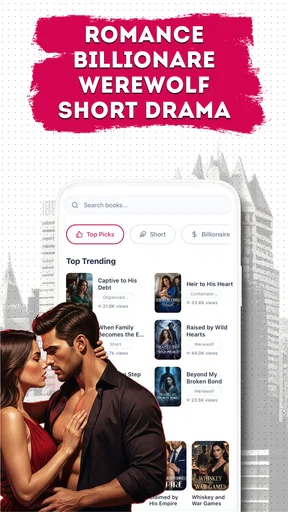
I approached Noel Novel - Stories & Books as a reader looking for something easy to open during short breaks rather than as a replacement for a serious digital library. Developed by 24Books, this free Books & Reference app focuses on popular fiction, especially romance-heavy stories, billionaire drama, werewolf fiction, divorce plots, and short-form dramatic reading. That combination gives it a clear personality: it is built for quick emotional escapes, not for browsing a broad academic catalogue or managing a carefully organized personal collection.
My first impression was that the appeal depends heavily on whether those story themes match your reading habits. If you enjoy cliff-hangers, intense relationships, dramatic reversals, and chapters that encourage “just one more,” the concept makes sense. If you mainly want classics, nonfiction, reference works, or a polished e-reader with extensive customization, I would look elsewhere. The app’s store short description is simply “Noel Novel,” while its longer summary points directly toward unlimited reading of popular novels and short drama. That is a useful expectation to set before installing it.
Where reading usually gets stuck
The biggest potential obstacle is not understanding what the app is for; it is finding the right story quickly. A large fiction catalogue can feel convenient, but genre labels such as billionaire, werewolf, or divorce are broad moods rather than precise reading filters. Two books under the same label may have very different pacing, tone, and level of melodrama. I would therefore avoid choosing only from the first attractive cover. Read the visible description carefully, then open a few chapters before deciding whether the writing style suits you.
Short drama can also create a particular reading rhythm. These stories often work best in small sessions, but their frequent turning points may make it difficult to stop at a natural pause. In my view, that is both the attraction and the friction. The app is a good companion for a commute, a queue, or a quiet half-hour before bed, yet it may feel less satisfying if you want a complete, self-contained reading session every time you open it.
Another point worth considering is the audience setting. The app carries a Teen content rating, so parents and younger readers should not treat it as a children’s reading shelf. A teen rating does not tell you the exact tone of every individual novel. I would still check the description and opening chapters before handing a device to a younger reader, especially when relationship conflict and emotionally intense themes are central to the story.
The public response looks mixed rather than universally enthusiastic. Noel Novel has an average rating of 3.7 from around 180 ratings, with roughly 20 written reviews. That is enough to show that people have formed real opinions, but not enough for me to treat the score as a definitive verdict. I would use it as a prompt to test the app personally, paying particular attention to loading, navigation, and whether the available titles fit your taste.
What I would check before committing to a story
My practical method is to sample in three stages. First, I look at the premise and genre label. Second, I read enough of the opening to judge sentence flow and translation quality if the prose feels unusual. Third, I ask whether the chapter ending gives me a satisfying pause. That last check matters more than it sounds: a story can be entertaining but inconvenient if every stopping point feels artificially incomplete.
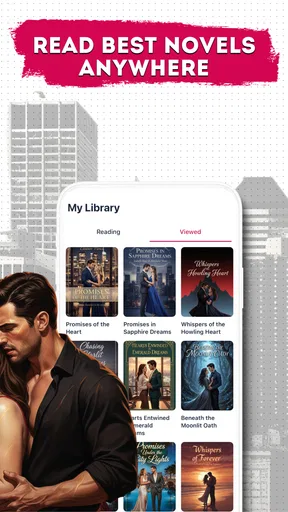
I would also keep a small mental distinction between discovering a novel and following it. Discovery is where Noel Novel seems most useful, because themed fiction makes it easy to browse by mood. Following a long-running story is where patience may be needed. If you switch between several books, remember their titles and last plot developments yourself rather than assuming every reading app handles your personal organization exactly as a full-featured library manager would.
Setup checks that prevent avoidable frustration
Installation should be straightforward for compatible devices because the current release is version 1.7.5 and the app supports Android 7.0 or later. Before blaming the app for a failed installation, I would check the operating system first, then confirm that the device has enough free storage for a new application. Older phones can technically meet the minimum requirement and still feel slower when opening image-heavy or content-rich screens.
The app is free, which makes trying it low-risk from a cost perspective. I would still approach the first launch deliberately. Let the opening screens finish loading, read any prompts rather than tapping through them automatically, and note how the catalogue is organized. This small pause can prevent a common mistake: assuming a title has disappeared when it is actually placed under a different genre or reading section.
If the first screen appears empty, my first checks would be the network connection and whether other apps can load normally. Switching between Wi-Fi and mobile data can help identify a local connection problem. If the app works on one connection but not the other, the issue is more likely to be the network path than the novel catalogue itself. I would avoid repeatedly tapping the same button, because that can make a slow response look like duplicate actions or create a confusing sequence of screens.
For a smoother first session, I recommend choosing one story, opening its details, and reading a short portion before exploring every category. This creates a simple baseline. You learn whether pages open, whether text displays properly, and whether navigation responds. If those basics work, later trouble is easier to isolate. If they do not, there is no reason to spend time building a reading list yet.
Small habits that make browsing easier
Because the catalogue is aimed at popular, highly dramatic fiction, I would browse according to the feeling I want rather than searching for a literary category. For example, I might choose relationship conflict when I want a fast emotional plot, or supernatural romance when I want a more escapist setting. This is more effective than expecting the app to behave like a bookstore with precise subject classifications.
I would also avoid judging the entire service from one title. A weak opening may reflect that particular novel’s style, not the usefulness of the catalogue. Conversely, an exciting first chapter does not guarantee that the longer story will maintain its pace. Sampling two or three different themes gives a more honest impression and helps reveal whether your enjoyment comes from the app’s selection or from one lucky discovery.
The app has passed ten thousand installs, so it is not an unknown experiment with no readership at all. Still, that scale is modest compared with the largest reading platforms. I would interpret this as a reason to keep expectations practical: the experience may be more focused and less overwhelming, but it may not offer the breadth, mature recommendation systems, or extensive community tools associated with much larger services.
Recovering a reading session when something goes wrong
When a chapter refuses to open or a screen stops responding, I would begin with the least disruptive fix: wait briefly, return to the previous screen, and try opening the title again. If that fails, fully close the app and relaunch it. This is basic advice, but it is useful because it distinguishes a temporary screen hiccup from a repeatable catalogue problem without immediately risking local app data.
If the problem continues, I would test another novel. That is an important diagnostic step for a story-focused app. When one title fails but another opens, the issue may be tied to that particular item or its content request. When every title fails, the broader connection or app session becomes more suspicious. This simple comparison is more informative than repeatedly retrying one chapter.
I would be cautious about clearing storage or reinstalling too quickly. Those actions can remove local session information and make it harder to tell what originally went wrong. Before taking them, note the title, chapter, and exact point at which the problem appears. If you later need help, those details are far more useful than saying only that “the books do not work.”
A useful recovery workflow is to restart in stages: close the current story, relaunch the app, test a different title, then return to the original. If the original still fails while the second title works, I would stop treating the whole app as broken. If nothing loads after a clean restart and a connection change, I would wait and try again later rather than repeatedly changing unrelated device settings.
When progress feels difficult to find
Long fiction apps can create uncertainty when you move between books. My advice is to finish a session at a recognizable point and remember a short phrase from the last scene. That gives you a manual recovery marker if the app returns you to a general browsing screen. It also reduces the chance of reopening the wrong story when several covers look similar.
If a title seems to vanish from view, search the same genre area again before assuming it has been removed. Browsing sections can change position after a restart, and a story may be easier to find through its original theme than through a general home screen. I would also avoid opening many titles at once while testing. Keeping the workflow simple makes it much easier to identify whether the issue is navigation, loading, or personal confusion between stories.
These are not advanced technical fixes, but they are the right kind of troubleshooting for this app because they do not assume features that may not exist. The goal is to separate a temporary reading-session failure from a limitation of the catalogue or interface. That distinction saves time and prevents an unnecessarily harsh judgment after one bad attempt.
When the app is not the cause
Reading interruptions are sometimes caused by the phone rather than Noel Novel. A device with very little free space, aggressive background restrictions, an unstable connection, or an outdated system can make many apps behave inconsistently. If other reading or media apps are also slow, I would investigate the device environment first. Restarting the phone and closing unused applications can provide a cleaner test than changing the novel app repeatedly.
Connection quality deserves special attention because fiction browsing often involves loading covers, descriptions, and chapter content separately. A connection that handles messaging may still struggle with a content screen that is waiting for several elements. If pages load only after long pauses, compare Wi-Fi with mobile data and try again in a location with a stronger signal. This does not guarantee a fix, but it helps identify whether the delay follows the network.
Storage pressure can also be misleading. Even when an app itself is small enough to install, a nearly full phone may have trouble creating temporary files or updating applications. I would check available space before uninstalling Noel Novel. If the device is crowded, removing unused downloads or old media may help more than reinstalling the reader.
There is also a taste problem that can look like a technical problem. If every recommended title feels repetitive, the catalogue may simply be emphasizing the dramatic genres that define the service. A reader seeking history, science, manuals, poetry, or a broad public-domain collection is not experiencing a malfunction; they are outside the app’s strongest use case. For those needs, a general e-book service, a library app, or a dedicated reference tool would be a better choice.
Who should choose a different reading app
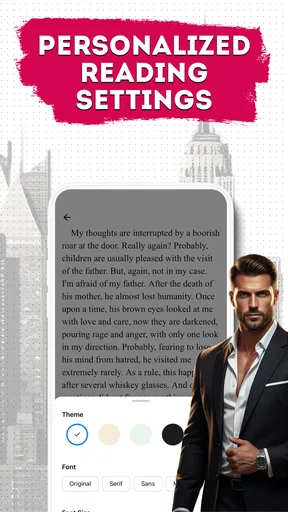
I would skip Noel Novel if you need extensive typography controls, dependable organization for a large personal library, or access to many unrelated book categories. I would also hesitate if you dislike serialized tension and prefer novels that move quietly toward a planned conclusion. The app’s appeal is tied to accessible, high-drama fiction, so readers who want a calm, scholarly, or highly customizable experience may become frustrated quickly.
It is also not my first recommendation for shared family reading. The Teen rating means the audience is broader than adults only, but the themes still deserve individual judgment. A parent looking for carefully curated children’s material should choose a service designed specifically for that age group instead of relying on a general fiction catalogue.
On the other hand, I can see the value for someone who wants a free way to sample popular story formulas without committing to a paid subscription immediately. The low financial barrier makes experimentation easy. You can discover whether billionaire romance, supernatural drama, or relationship-centered plots hold your attention before investing time or money in a larger reading ecosystem.
My practical verdict after using it as a casual reader
Noel Novel - Stories & Books is best understood as a focused fiction sampler with a strong preference for dramatic, easy-to-binge themes. I like the clarity of that identity. It does not try to be every kind of book service, and its free price makes it approachable for readers who want to browse without a purchase decision at the door.
The trade-off is that focused selection can feel narrow. The app’s value rises sharply when its featured genres match your mood and drops just as sharply when they do not. I would give it a fair trial by testing several titles, checking how reliably chapters open, and seeing whether the browsing flow helps me return to stories without effort. That trial is more meaningful than relying on the average rating alone.
For everyday use, I would install it on a compatible device, begin with a short reading session, and keep expectations centered on entertainment rather than library management. If a chapter stalls, I would test another title and another connection before concluding that the whole service is unusable. If the catalogue repeatedly feels too narrow, I would move to a broader reading alternative instead of forcing the app into a role it was not designed to fill.
Overall, my recommendation is selective but positive. Readers who enjoy short drama, emotionally charged romance, and familiar popular-fiction themes should find enough here to justify a try. Readers who want breadth, deep organization, or reference-quality material should choose a different tool. With an average rating of 3.7 and a Teen audience setting, it sits in the category of an accessible but still personal fit: worth exploring for the right reader, but not a universal replacement for every book app.
Verdict
Strengths of Noel Novel - Stories & Books
- Large selection of romance, fantasy, and drama stories
- Personalized recommendations help discover new books
- Offline reading is convenient for travel or commutes
- Progress syncing makes it easy to switch between devices
- Regular updates add fresh chapters and new stories
Limitations of Noel Novel - Stories & Books
- Some stories may require coins or premium access to continue
- Reading availability can vary by region or account
- Frequent notifications may feel distracting to some readers
- Story quality and editing can differ between authors
- Offline downloads may use considerable device storage
Similar Picks in This Category
View All
Google Play Books & Audiobooks
Google LLC4.7

네이버 - NAVER
NAVER Corp.3.5

Wattpad - Read & Write Stories
Wattpad.com3.7

King James Bible - Verse+Audio
Ozion4.8

Bible Offline-KJV Holy Bible
Bíblia Offline4.9

Amazon Kindle: Reading App
Amazon Mobile LLC4.8
Frequently Asked Questions
What is Noel Novel - Stories & Books?
Noel Novel - Stories & Books is a mobile reading app designed for people who enjoy serialized fiction and digital novels. It typically offers stories divided into chapters across genres such as romance, fantasy, mystery, drama, and adventure. Readers can browse titles, open chapter previews, and continue reading from their phones. The available catalog and features may vary depending on your region and app version.
Is Noel Novel - Stories & Books free to download and use?
The application may be free to download, but access to all content is not necessarily completely free. Some novels or chapters can be available without payment, while later chapters, premium stories, or special features may require coins, credits, subscriptions, or in-app purchases. Before reading extensively, check the pricing information, payment terms, and whether automatic subscription renewal is enabled.
Does Noel Novel - Stories & Books require an internet connection?
An internet connection is generally needed to download the app, browse the library, synchronize your reading progress, load new chapters, and access account-related features. Depending on the version, some chapters may be saved for offline reading after they have been downloaded, but offline availability should not be assumed for every title. Mobile data charges may also apply.
What kind of books and stories can I find in the app?
The library is aimed primarily at readers who enjoy popular digital fiction, especially serialized novels and fast-moving stories. You may find categories such as contemporary romance, billionaire romance, fantasy, werewolf fiction, suspense, drama, and other entertainment-focused genres. Content quality, editing, language availability, and catalog size can differ between titles, so reading descriptions and sample chapters is recommended.
Are there privacy, account, or payment considerations before downloading?
Before using Noel Novel - Stories & Books, review the permissions requested by the app and read its privacy policy to understand how account information, reading activity, device data, and payment details may be handled. If you create an account or buy virtual currency, keep track of login credentials and transaction records. Also check your store’s refund rules and cancel subscriptions through the appropriate Android or iOS settings.
